Writing by hand has been around for centuries. Converting PDFs into handwritten text, on the other hand, is a very modern idea. Today, students, teachers, and professionals often ask the same question: Is a PDF to handwriting creator better than manual writing?
The honest answer is not “always” or “never.” Each option solves different problems. This article breaks down both methods in a practical, real-world way so you can choose what actually works for you.
Understanding Manual Writing
Manual writing means exactly what it sounds like. You grab a pen, sit down, and write everything yourself. No tools, no automation, no shortcuts.
Benefits of Manual Writing
Manual writing helps with memory and learning. Cognitive research consistently shows that writing by hand improves recall because the brain processes information more deeply. That’s why teachers still encourage handwritten notes.
It also allows full personal control. Your handwriting style, spacing, and flow remain completely natural. No software can fully copy the subtle quirks of a real hand.
And yes, it feels authentic. Teachers and examiners rarely question handwritten work done manually.
Limitations of Manual Writing
Time is the biggest issue. Writing a 10-page assignment by hand takes hours. Writing a 50-page PDF? That’s an all-day workout.
Mistakes slow everything down. One spelling error can mean rewriting an entire page. Neatness also varies depending on fatigue. After page ten, handwriting quality usually drops. Human hands get tired. Pens don’t care.
What Is a PDF to Handwriting Creator?
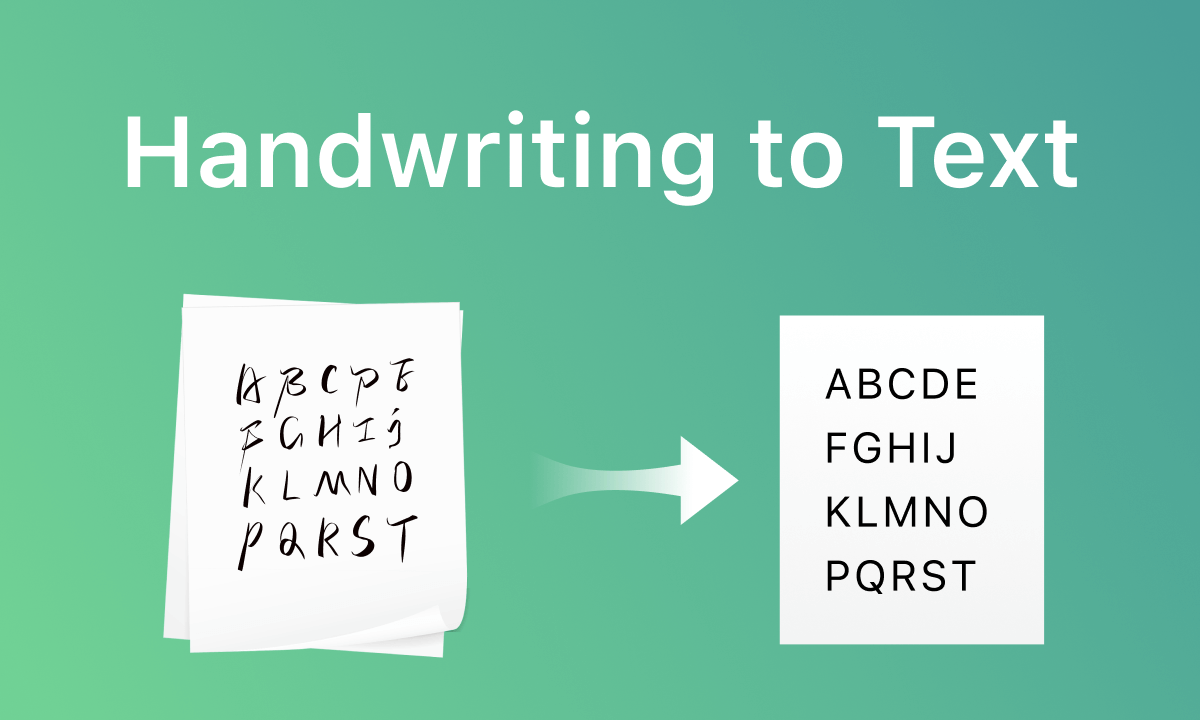
A PDF to handwriting creator converts typed PDF content into handwritten-style text automatically. You upload a PDF, choose a handwriting font, and generate a handwritten version.
These tools do not “think.” They simply transform text visually. That makes them predictable, fast, and consistent.
Advantages of a PDF to Handwriting Creator
Speed and Efficiency
Speed is the main advantage. Converting a long PDF into handwritten notes takes minutes, not hours. This matters when deadlines stack up.
You can generate multiple pages without hand strain. Your wrist stays safe. Your time stays yours.
Consistency and Clean Output
A PDF to handwriting creator keeps spacing, margins, and alignment consistent across all pages. Manual writing rarely achieves that level of uniformity.
You can also regenerate pages if you spot errors. No rewriting required. Just adjust and export again.
Practical for Repetitive Tasks
For assignments, practice sheets, or note formatting, automation makes sense. Teachers, students, and content creators use these tools to save effort on repetitive writing work.
Limitations of PDF to Handwriting Creators
No tool fully replaces real handwriting. Fonts simulate handwriting, but they cannot reproduce natural pressure changes or random strokes perfectly.
Overuse can also raise concerns in academic settings. Some institutions prefer original handwritten submissions. Always follow rules. Tools help productivity, not rule-breaking.
Another limitation is personalization. While many tools offer font choices, your handwriting remains unique. Software can imitate, not replicate.
Accuracy and Legitimacy: Clearing the Confusion
Here’s a fact worth stating clearly: PDF to handwriting creators do not generate original content. They only convert existing text into a handwritten format.
This means:
-
No plagiarism creation
-
No content manipulation
-
No AI text invention
Used properly, these tools remain formatting assistants, not content writers.
When Manual Writing Works Better
Manual writing makes sense when learning matters more than speed. Exam preparation, concept understanding, and memory retention benefit from handwritten notes.
It also works best when authenticity is required. If someone expects original handwriting, manual writing avoids doubt.
And sometimes, writing by hand simply feels good. Not everything needs automation.
When a PDF to Handwriting Creator Makes More Sense
A PDF to handwriting creator works best when:
-
You already have the content
-
Time is limited
-
Neat presentation matters
-
Hand fatigue is an issue
It’s especially useful for converting digital study material into handwritten-style PDFs for printing or submission.
Which Option Is Better?
The better option depends on the goal.
If learning is the priority, manual writing wins. If efficiency and formatting matter more, a PDF to handwriting creator saves time without sacrificing readability.
Think of it this way:
Manual writing builds knowledge.
PDF to handwriting creators manage workload.
They don’t compete. They complement.
Final Thoughts
Technology does not replace human effort. It reduces unnecessary repetition. Manual writing still holds value, especially for learning and originality. PDF to handwriting creators shine when speed, consistency, and convenience matter.
Choose the tool based on the task, not fear or hype. Smart users don’t reject tools. They use them responsibly.
In the end, the best method is the one that helps you work better — not harder.